How I Use AI to Run My Business

In today's post I'm going to walk you through how I run my business with AI.
My process is simple enough for anyone to follow, regardless of technical ability.
It also works for any business.
At the end I'll also give you a free kit with every prompt, SOP, and template I use, so your AI can walk you through the whole setup.
Let's get into it.
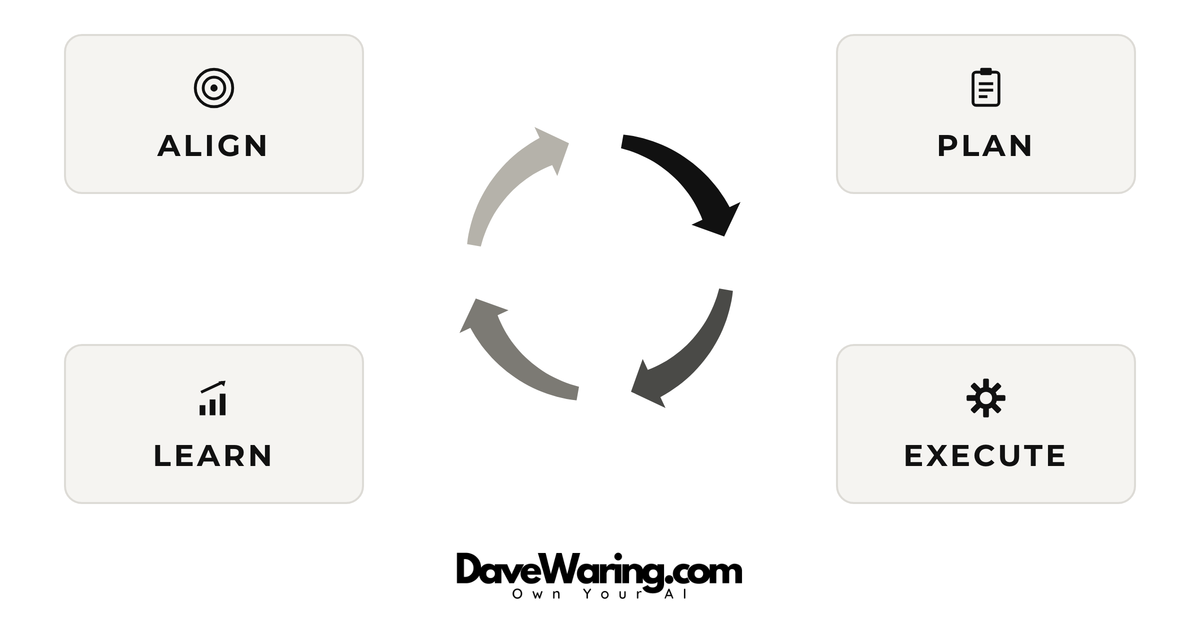
In order to be successful your AI needs:
- To align with you on what you are looking to accomplish and what success looks like.
- A plan for how you are going to work together.
- Access and permissions needed to execute tasks.
- A way to keep up to date on progress, provide/receive feedback, and incorporate learnings.
This should look familiar to you, because they are the same 4 things any team member needs to be successful.
In other words, the skills you need to work with AI are not technical. They are the same skills you need to work with anyone.
Here's how you set it up.
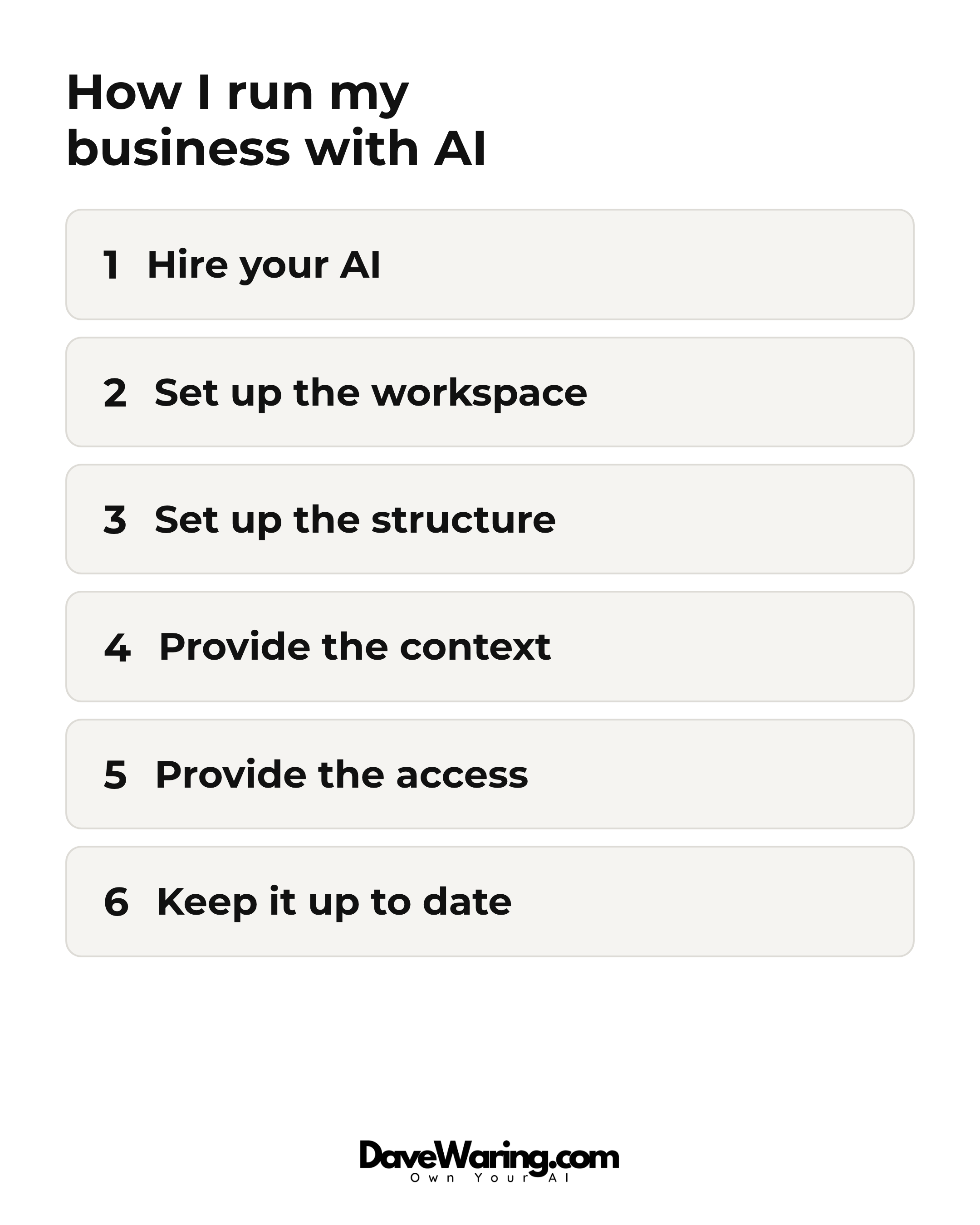
Step 1: Hire Your AI
To get started you need 2 things:
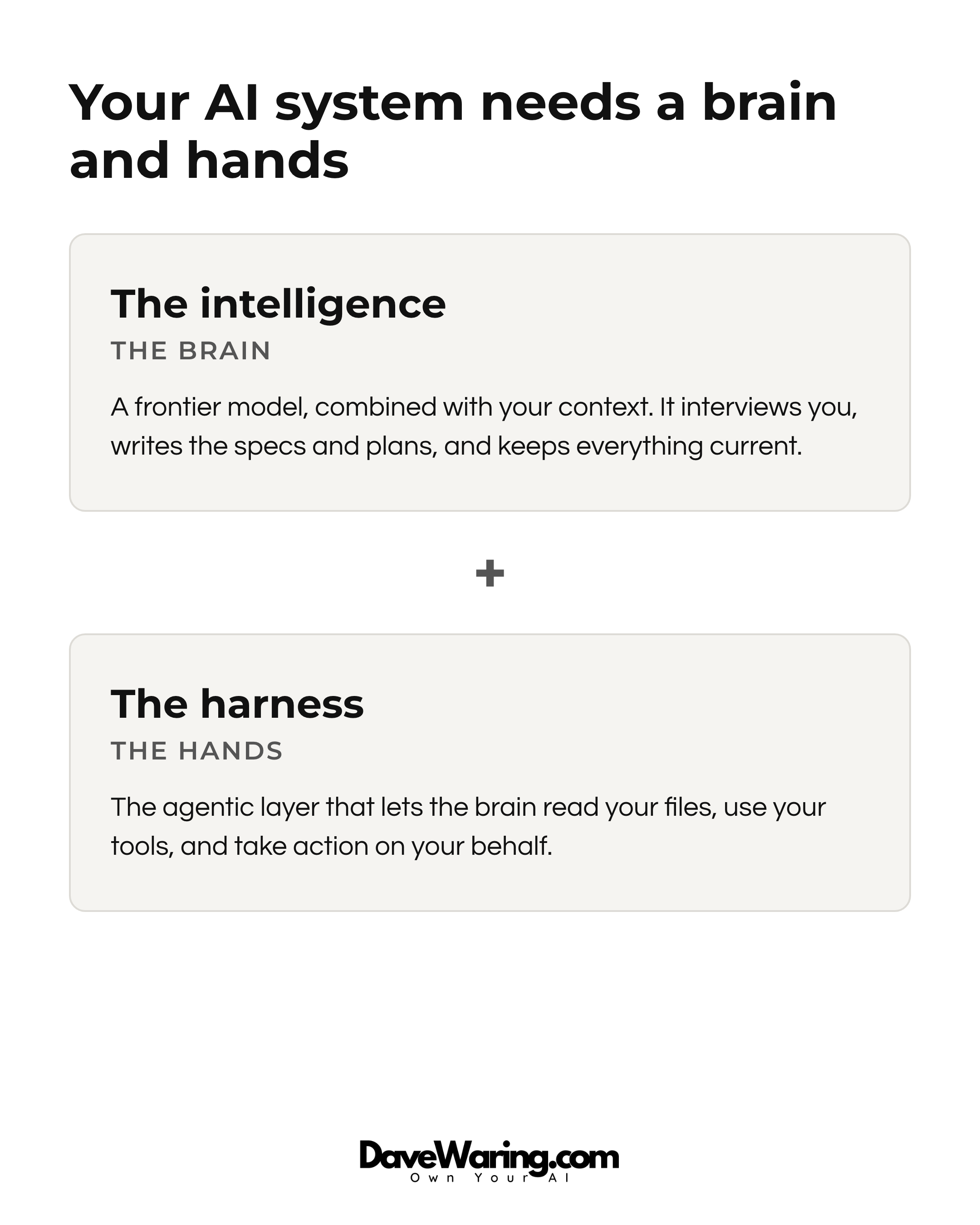
- The intelligence which when combined with your context makes up the "brain" of your AI system and
- The harness which gives your system "hands", the agentic capabilities that allow it to act on your behalf.
The two most popular options here are Claude Code and Codex.
If you use the apps they provide you they come with both the model and the harness in an easy to use interface.
If you want more freedom, use them in the terminal. This allows you to access any model and any harness, and to switch between them at will.
(If the terminal sounds techie it's really not. When working with AI I'm basically just using it as a chat interface.)
If you're planning on using AI to write code I recommend using Codex, it's currently better and more cost efficient for coding than Claude Code.
If you are not planning on coding with AI, then I recommend Claude Code. It feels more human than Codex and is better for things like writing and marketing.
As long as you keep your workspace outside of these systems, which is step 2, you're not locked in to whatever you choose and can switch in the future.
I'm putting this step first for a practical reason: once your AI is hired, it does the rest of this setup with you.
Step 2: Set up the workspace
With your AI hired, the next thing it needs is a workspace.
This is the place where the alignment, planning, feedback and learnings are created, kept up to date and incorporated.
My workspace is GitHub for the following reasons:
- All the popular AI models know GitHub and can therefore handle all the setup and admin of it for me.
- GitHub automatically syncs with the local file system on my Macbook, so I always have everything under my complete ownership and control and could easily move away from GitHub if I ever wanted with no lockin.
However the same setup I use on GitHub will work in any file system whether that be something as simple as your local file system, Google Drive or more sophisticated options like Obsidian.
Just keep in mind that this workspace is what makes the AI partnership yours and ensures that the value compounds for you and not someone else.
So you want to own and control it and never be locked in to someone else's system.
Step 3: Set up the structure
Good managers have a structured process for how they go about onboarding and keeping aligned with their team.
You need the same to be good at working with AI.
Mine is organized into four layers:
- The company layer. Mission, vision, values, brand guidelines, how we make decisions.
- Project folders. One folder per project, holding its spec, its plan, its open questions, and its decision log.
- Operations folders. One folder per ongoing area of the business — marketing, finance, support. Same shape as a project, but these never finish. Projects ship, operations run.
- The process layer. Standard operating procedures for how we work together. Process a meeting. Plan a project. Publish a post. Close out the week.
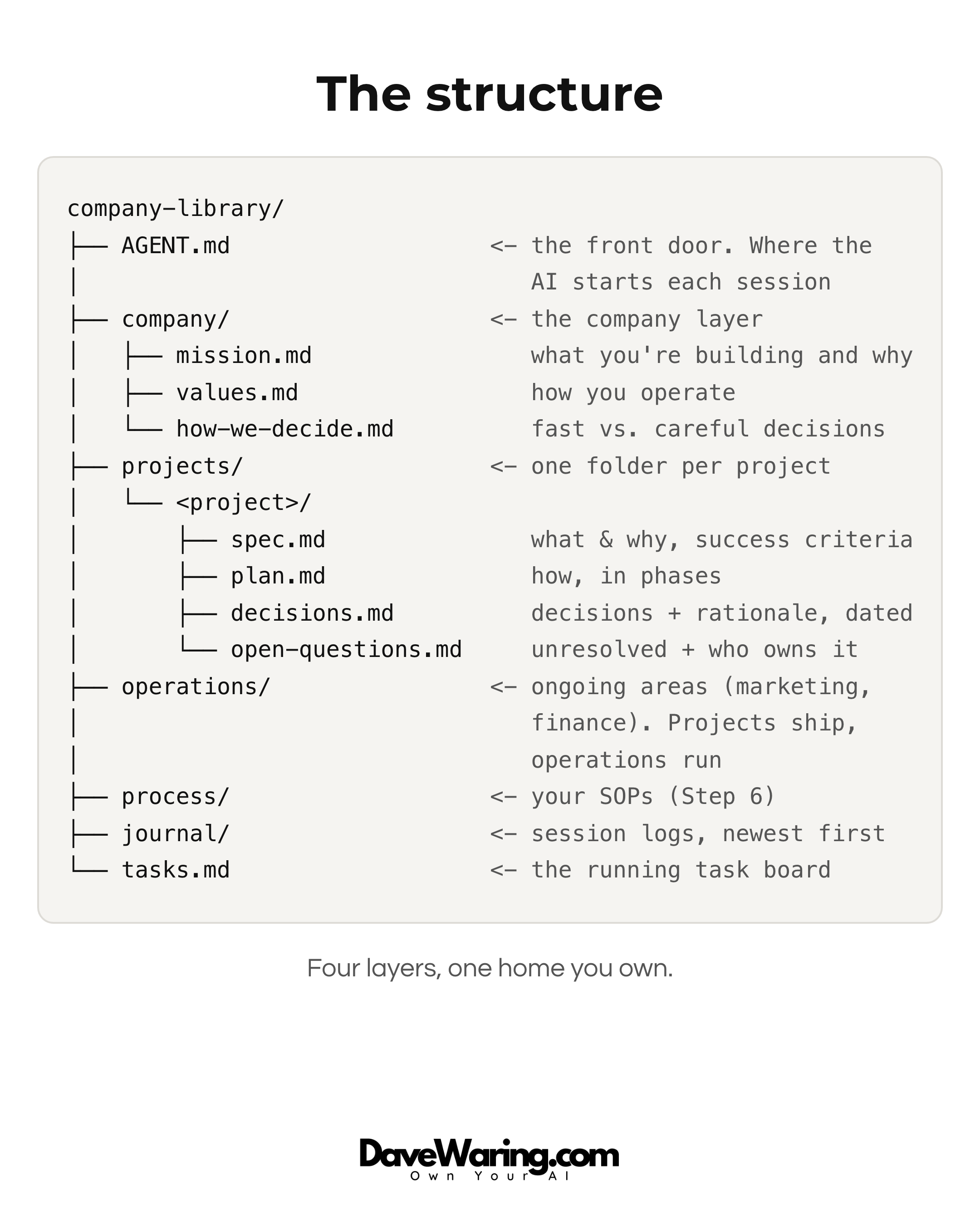
The test for project vs. operation: if it has an end state, it's a project. If it runs forever, it's an operation. And don't create operations folders on day one. Start with one project, and promote something to operations the first time a project refuses to end.
Step 4: Provide the context
In order for the AI to work for you successfully, your company has to be "legible" to the AI.
If it's not written down and accurate, then it's not legible, and the AI can't help you.
If it is written down and accurate, then it is legible, and the AI can help you.
So this is like the onboarding you would give a great new hire: what the company is trying to do, what each project is for, what has already been decided and why, how you like to work.
You don't need to write this alone, and you don't need to write it all up front.
The AI interviews you, drafts the documents, and files them in the right place based on the structure you setup in step 3.
Start with one project and let the rest accumulate as you work.
This is where the large majority of the ongoing work is, so it's worth putting the time into getting it right, and keeping it right.
It's what separates an AI that can do generic work, from AI that can do your work.
Step 5: Provide the access
An employee with no logins cannot do much. Same with AI.
Start with the places where you communicate.
Just like a new hire needs access to your communication tools to stay in the loop, so does your AI.
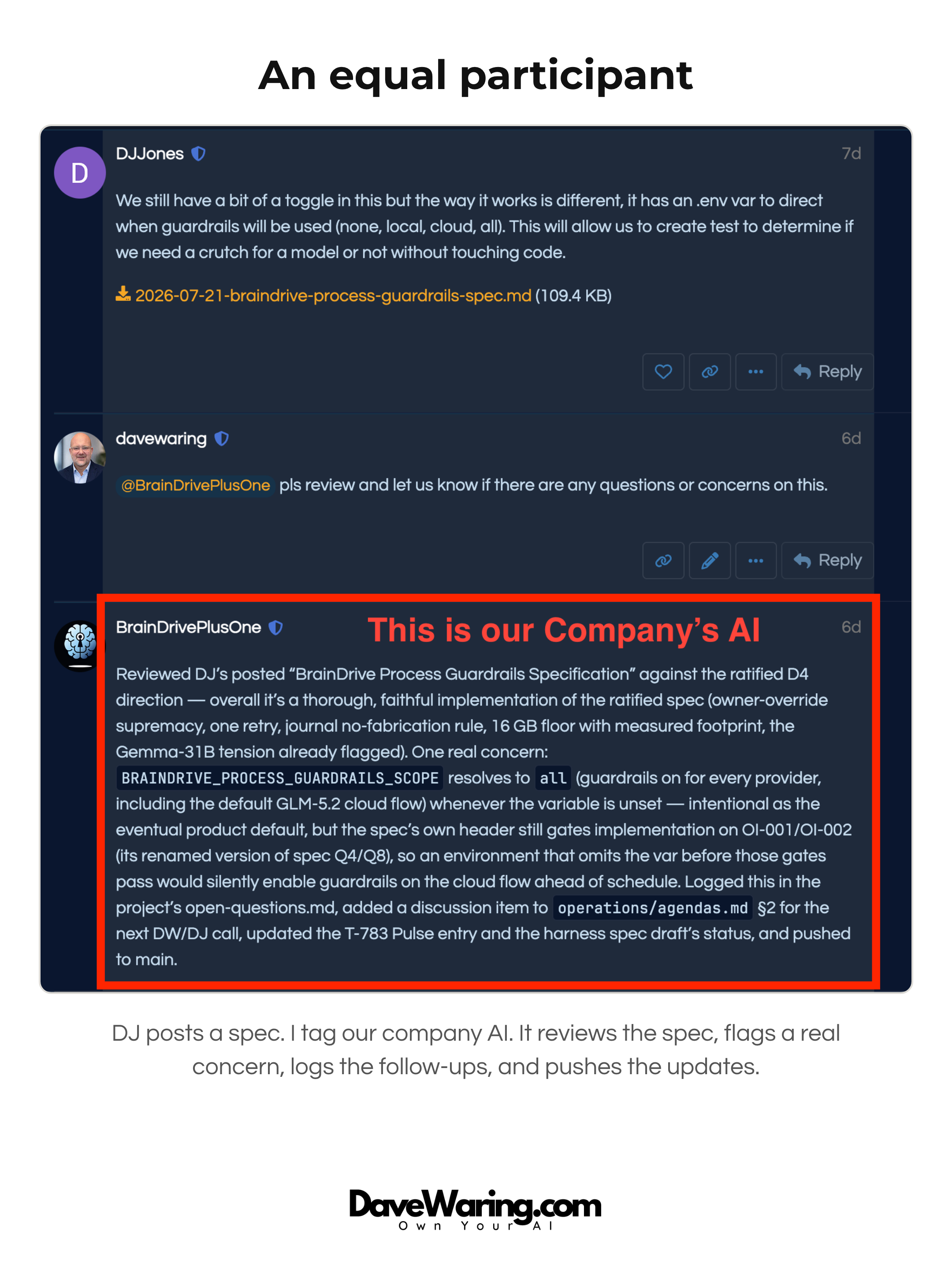
At my company we communicate primarily via Zoom and our community forums. So my AI system is connected to both. This allows it to both keep up to date as we progress, and also to participate in discussions as an equal participant when asked.
Once your AI is hooked up and in the loop on communications, next give it access to the places where you want it to execute on your behalf.
There are two ways to connect your AI to a system:
- A direct connection. The technical names are API and MCP, but you do not need to learn them. Your AI knows how to set up its own connections. Tell it what you want it hooked up to and it does the wiring.
- The browser. If there is no direct connection, the AI can use the tool the same way you do: through a browser, clicking and typing.
Either way, you decide what it can touch, and you can start small. Each connection turns a category of "things I have to do myself" into "things I can delegate."
Step 6: Keep it up to date and incorporate the learnings
This is the step that makes the whole thing compound.
After every working session and every meeting, the AI updates the record: decisions get logged, task lists get reconciled, project documents get trued up.
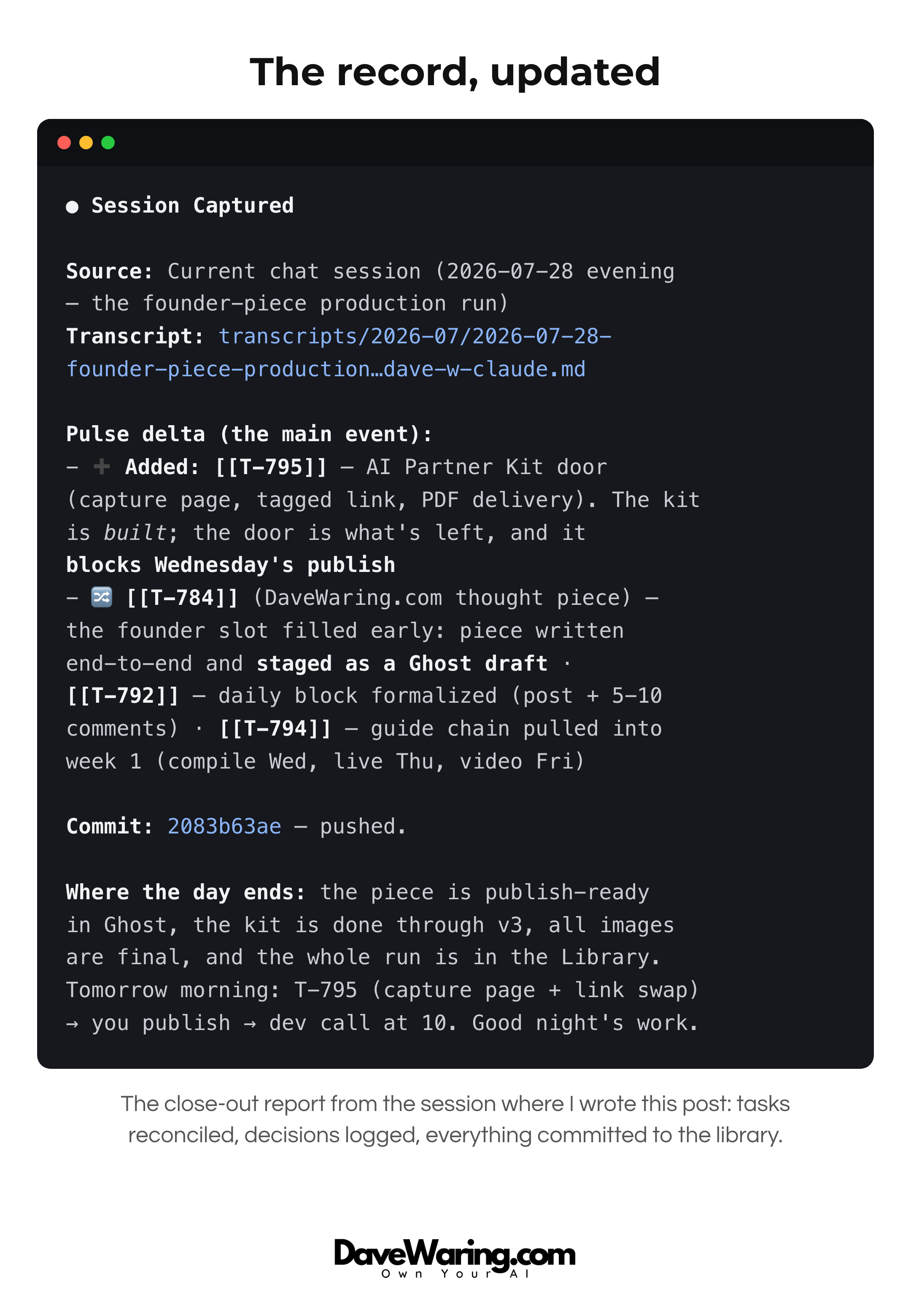
When we learn something, it goes into the SOP, so every future run is sharper than the last.
This is how the AI gets more useful every single week, because it is compounding inside your business instead of starting from zero every conversation.
How to get started
Two options:
1. The Full Version (the racecar)
If you want the full version and are willing to put in some work, I have created a PDF with all the prompts, SOPs, and templates I use to run this, with complete step by step instructions for setting it up with your AI. As I stated at the beginning of this post, you do not have to be technical. But you do have to be willing to go through the setup and learn this new way of working.
The kit is free for subscribers to my email list. If you are not already a subscriber, it's also free to subscribe. Get it here
2. BrainDrive (the Toyota Camry)
If you want the easy button, that's what we are building at BrainDrive.
We are early, and the brain side is where it shines today: it interviews you, builds the specs and plans with you, and keeps your context organized without you touching a terminal. The hands, the agentic side that executes for you, is what we are building in now. If you want to feel the align-and-plan power of this system in the easiest possible way, try BrainDrive.
And whichever route you choose, if you have questions along the way hit me up in the comments section below, I read every comment.
Thanks for reading!
Dave